Explore 18 H3 and H3 Max demonstrations, from product films to animated worlds. Open a prompt, inspect the reference images, and bring the example into your own workflow.
18 of 18 examples
Brand & product · H3
Vintage Binocular Brand Film
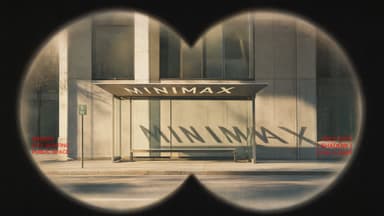
A MiniMax H3 brand film using sequential image references, a fixed binocular mask, and cinematic focus transitions.
Prompt status: Collection prompt — original wording not independently verified.
Settings shown are collection records, not independently verified generation logs. Missing settings are not inferred from generator defaults.
Reference images
Image 1Image 2Image 3Image 4
Prompt
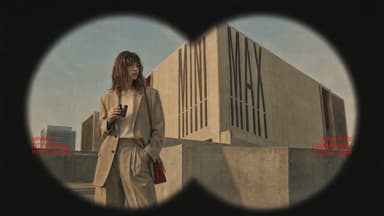
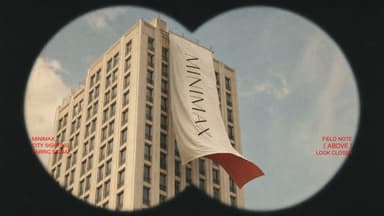
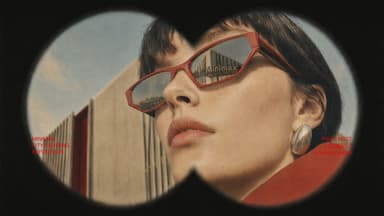
Use Images 1-4 as sequential keyframes, seen through a vintage binocular viewfinder searching for the MINIMAX installation. Open out of focus with subtle handheld shake, then push in quickly and rack focus onto Image 1. Between keyframes, use fast binocular-scan transitions with whip movement, motion blur, optical smearing, and brief exposure flicker. Cut at peak blur, then settle and snap back into focus. Keep the twin circular lens mask absolutely fixed throughout: identical position, scale, feathered black vignette, and edge softness, with no warping or drift. Only the image inside the mask may move.
In Image 2, let the fabric move gently in the wind while the MINIMAX lettering follows the folds and remains legible. In Image 3, the subject should feel like a stylish passerby caught by chance, walking, turning, and swinging their arms naturally. In Image 4, the subject adjusts their glasses or lifts their chin slightly with a cool, effortless fashion-campaign attitude.
Red typography should resolve with the focus: begin slightly blurred and at low opacity, then fade into clarity over 0.3-0.5 seconds. A subtle vertical slide or slight tracking expansion is allowed. Fade it out before the next transition or let motion blur carry it away. No spins, bounces, or large fly-ins or fly-outs.
Visual language: a voyeuristic, Wes Anderson-inspired 35 mm film look with fine grain, soft highlight halation, restrained color, and red typographic accents. Minimal, premium, lightly playful. Do not add people, vehicles, buildings, or logos. Preserve the core composition and the MINIMAX installation exactly.
Prompt status: Collection prompt — original wording not independently verified.
Settings shown are collection records, not independently verified generation logs. Missing settings are not inferred from generator defaults.
Images supplied with the source
The source includes this image but does not establish its role in the original generation. This template opens Text to Video and does not import the image.
Image 1
Prompt
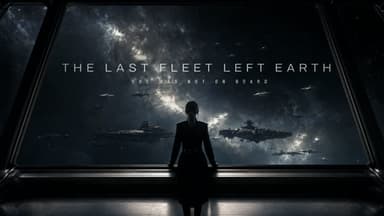
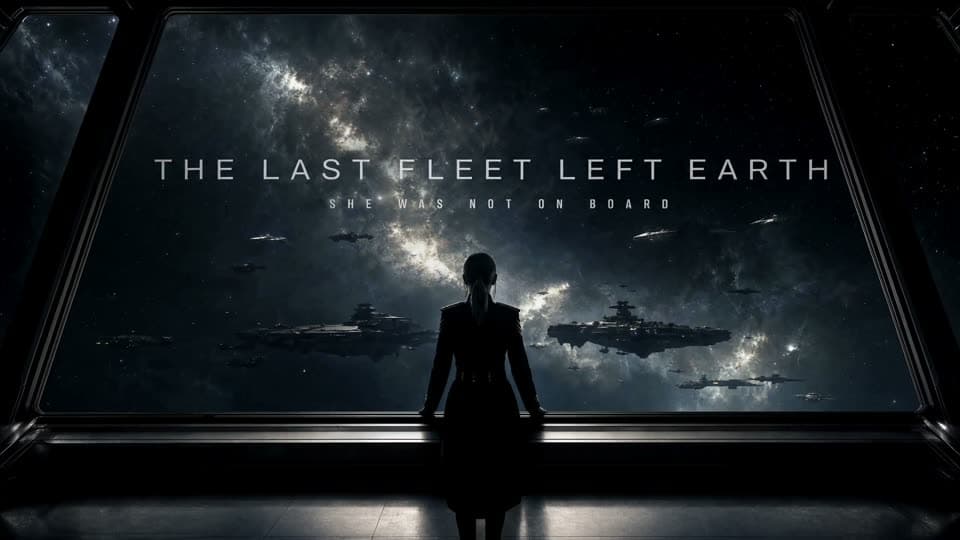
Epic theatrical space-opera teaser.
Keep the pace fast and the scale enormous without letting the edit drag. Use sharp hard cuts, a shaking command deck, white-hot flashes, split-second black frames, and a violent jump-to-warp impact. Title cards should use wide-tracked cinematic typography, not pure white, with restrained material texture, subtle illumination, and a faint edge glow. Animate the titles by emerging from deep-space shadow, catching a sweep of starlight, opening their letter spacing, leaving a slight afterimage, and flashing briefly against black.
Prompt status: Collection prompt — original wording not independently verified.
Settings shown are collection records, not independently verified generation logs. Missing settings are not inferred from generator defaults.
Reference images
Image 1Image 2
Prompt
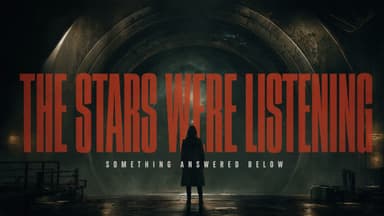
Sci-fi mystery teaser.
Photoreal cinematic treatment, high-contrast lighting, and tight pacing. Use Image 1 for the overall mood and visual language; use Image 2 as the protagonist reference.
Shot 1: Ultra-wide establishing shot. A colossal circular cosmic gateway nearly fills the frame. The protagonist appears only as a tiny figure from behind, positioned low and slightly right of center. Wet ground reflects the light; the center of the gateway is pitch black. Slowly push the camera forward. A large title emerges from the edge of the darkness, resolving from soft blur into sharp focus: “THE STARS WERE LISTENING.” Set it in an extremely condensed, heavy, all-caps face, colored dark crimson and rust red, with light grain and mist-softened edges.
Audio: a deep sub-bass pulse, distant metallic resonance, and one restrained hit as the title locks into focus. Hard cut.
Prompt status: Collection prompt — original wording not independently verified.
Settings shown are collection records, not independently verified generation logs. Missing settings are not inferred from generator defaults.
Reference images
Image 1Image 2Image 3Image 4
Prompt
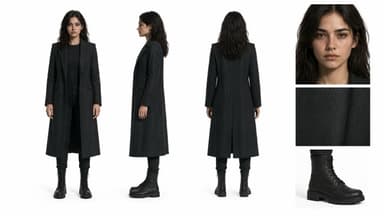
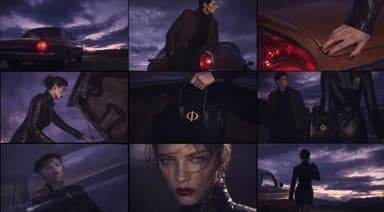
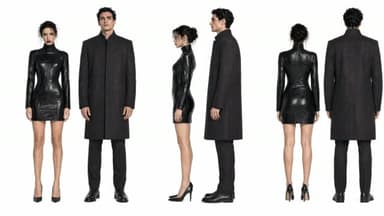
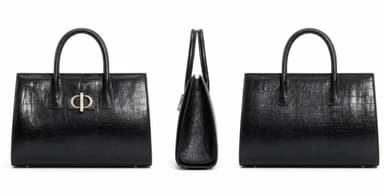
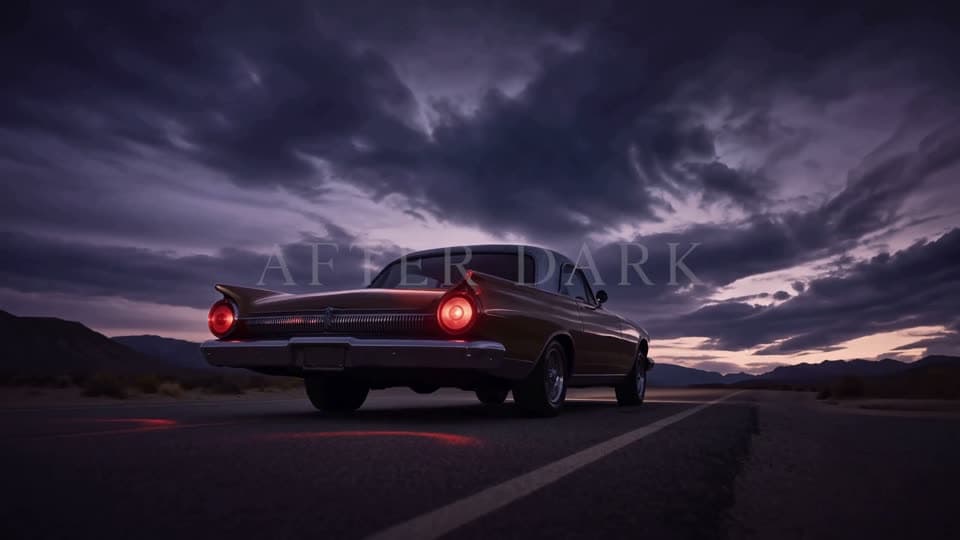
Create a premium 16:9 landscape fashion film. Use Image 1 for the overall mood, location, and film texture; Image 2 for the talent; Image 3 for the bag; and Image 4 for the closing brand mark. This is a fashion campaign for the clothing and bag. The tone is elevated, cool, and restrained, but the edit should still feel lively and fashion-forward, not like a conventional narrative film or an ecommerce ad.
Keep the story simple: beside a vintage car on a desert highway, a woman walks to the rear of the car, opens the trunk, takes out a black bag, shares a quiet beat with the man standing nearby, then leaves carrying the bag. Integrate the clothing and bag naturally into the performance so they feel like part of the characters' identity.
Prompt status: Collection prompt — original wording not independently verified.
Settings shown are collection records, not independently verified generation logs. Missing settings are not inferred from generator defaults.
Reference images
Image 1Image 2
Prompt
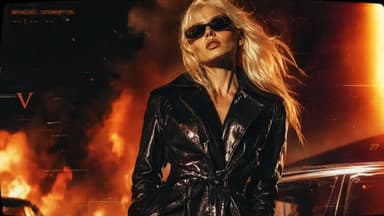
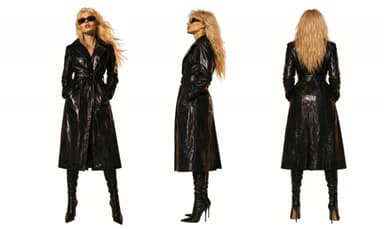
Use Image 1 as the reference for texture and mood, and Image 2 for the subject's appearance. Generate a 15-second, 16:9 fashion short. Preserve the subject's identity: long platinum-blonde hair, narrow black vintage sunglasses, a glossy black patent-leather trench coat, a cool, self-assured expression, and orange firelight reflected across the coat.
Style: fast-cut fashion film on analog stock, set against a nighttime blaze with black smoke and orange-red flames. Layer in VHS glitches, CCTV signal interruptions, 1990s film grain, scanlines, chromatic aberration, light leaks, flash-to-white transitions, and subtle frame jitter.
Prompt status: Collection prompt — original wording not independently verified.
Settings shown are collection records, not independently verified generation logs. Missing settings are not inferred from generator defaults.
Reference images
Image 1Image 2Image 3Image 4Image 5
Prompt
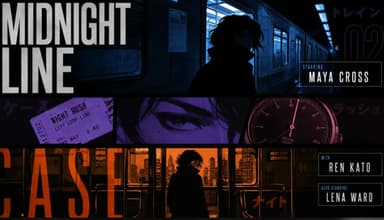
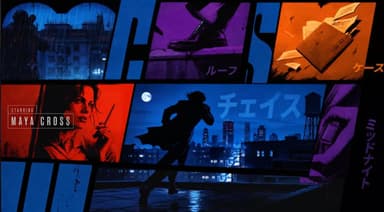
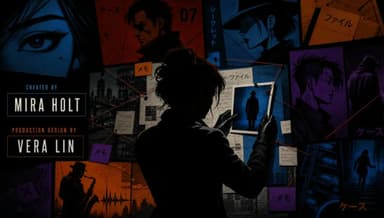
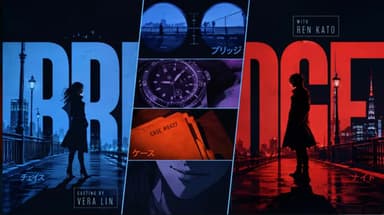
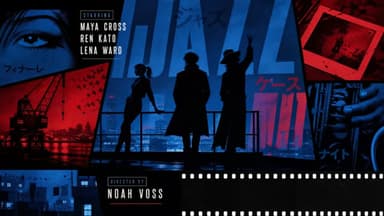
Create a 15-second, 16:9 opening-title sequence for a stylish crime mystery. Draw from retro Japanese animation titles, hard-edged silhouettes, comic-book collage, asymmetric split screens, bold geometric color fields, English credit typography, sparse katakana accents, and a noir-jazz sensibility. Aim for 60% suspense and 40% jazz: mysterious, cool, agile, and urban, never horror, heavy drama, or a cheerful jazz music video.
Build the sequence as motion-graphics collage: linework appears over black, split-screen boundaries snap into place, then color blocks and frames assemble piece by piece. Character silhouettes, prop close-ups, and English credits slide, pop, and reveal through masks on the beat. Keep it designed and graphic, not like conventional narrative animation.
Credits must be clean and legible. Animate thin frames drawing on, names sliding in, letters appearing one at a time, or color blocks revealing type, then hold briefly. Do not introduce Chinese text, garbled characters, or misspellings. Each role and each name appears once only; do not assign multiple roles to the same name.
Vary the transitions: circular vinyl-record wipes, vertical car-door cuts, long character shadows wiping frame, red-line slices, oversized letter masks, split-screen reconfigurations, hard color-block cuts, and tiled frames snapping into place. Keep every transition crisp, rhythmic, suspenseful, and collage-driven. No soft dissolves or fluid morphs.
BGM: an original 15-second title cue, 60% suspense and 40% jazz. Use a low drone, tense string pizzicato, cool synth pulses, low kick, sparse brushwork, fragments of walking bass, short baritone-sax phrases, and clipped brass accents. Build suspense with low frequencies and hi-hat in the first 2 seconds; bring in the low beat at 3 seconds, jazz-bass movement at 6 seconds, and a short sax or brass riff at 10 seconds. Freeze the final 2 seconds on a tense chord and drum hit. Keep it mysterious and criminally cool, never upbeat, and do not imitate an existing melody.
Prompt status: Collection prompt — original wording not independently verified.
Settings shown are collection records, not independently verified generation logs. Missing settings are not inferred from generator defaults.
Reference images
Image 1Image 2
Prompt
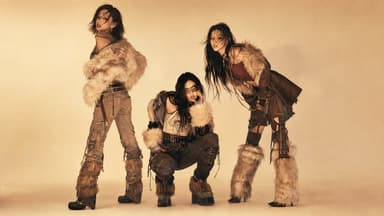
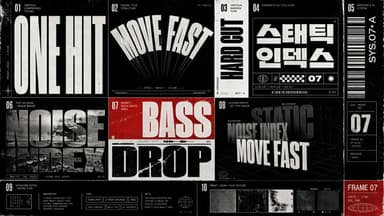
Style: dark-pop / cyber-grunge / rap music video with photoreal high-fashion polish and the texture of a scanned film magazine-high contrast without looking cheap. Reference late-1990s to early-2000s indie magazines, photocopies, film scans, underground-music posters, and zine collage. Add coarse grain, subtle gate weave, halftone dots, rough print edges, and slight scan misregistration. Keep the edit fast and use hard cuts only-no fades or soft transitions. Match the typographic treatment and surface texture of the reference images.
Prompt status: Partial prompt — expand before use.
Settings shown are collection records, not independently verified generation logs. Missing settings are not inferred from generator defaults.
Reference images
Image 1Image 2
Partial prompt
Partial prompt - expand as needed
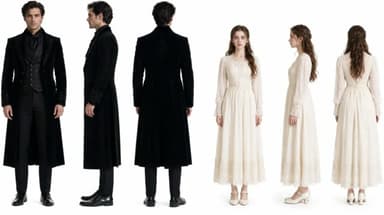
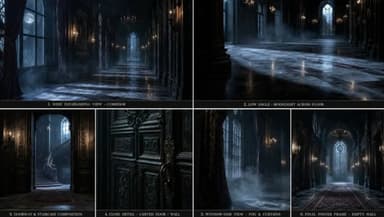
Create a 15-second, 9:16 live-action vampire-romance teaser for an international short-drama audience. Use Image 1 for the leads’ appearance and Image 2 for the setting. Preserve both identities throughout and maintain premium live-action production value.
Story: an innocent human woman strays into a forbidden wing of an old castle and awakens a sleeping vampire noble. He senses that she carries a trace of an ancient war, which sparks dangerous fascination and a possessive need for control. She fears him but refuses to submit completely and pushes back against his dominance.
Style: ReelShort / DramaBox vampire romance-darkly romantic, fate-bound, oppressive, and charged with dangerous attraction, with a strong hook and a high-impact turn. Keep it polished, restrained, and tightly paced like the opening 15 seconds of a breakout series. No gore, cheap horror, Halloween styling, or modern street aesthetic.
Compose for TikTok / ReelShort / DramaBox. Favor medium-close shots, close-ups, and extreme close-ups that emphasize faces, eye contact, pressure, and relationship tension.
Prompt status: Collection prompt — original wording not independently verified.
Settings shown are collection records, not independently verified generation logs. Missing settings are not inferred from generator defaults.
Reference images
Image 1Image 2
Prompt
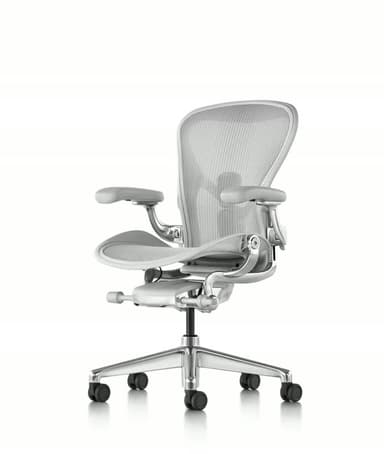
Present a black Herman Miller ergonomic chair in a premium office with a full 360-degree product reveal. Cut to macro views of the breathable mesh back with airflow visualization, an engineering animation of the lumbar support and ergonomic curve, and demonstrations of multidirectional armrest and seat-height adjustment. Show designers, developers, and creative professionals working comfortably over long sessions. Include a 3D skeletal-support visualization that communicates all-day comfort, plus refined interior styling. End with the line: “WHERE INSPIRATION MEETS COMFORT.” Keep the direction minimal, cool-toned, professional, futuristic, and slow-paced. Use Image 1 for feature details and Image 2 for the product.
Prompt status: Collection prompt — original wording not independently verified.
Settings shown are collection records, not independently verified generation logs. Missing settings are not inferred from generator defaults.
Reference images
Image 1Image 2
Prompt
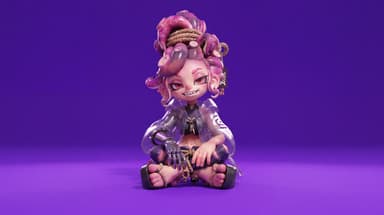
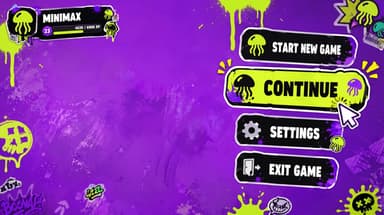
Use Image 1 for the character and Image 2 for the UI style.
[0-2 seconds] High-angle overhead shot. The character sits on a vivid, highly saturated purple floor, looks up at camera, and matches Image 1. A game menu appears on the right: START NEW GAME, CONTINUE (highlighted), SETTINGS, EXIT GAME. Player profile MINIMAX appears top left. The cursor selects CONTINUE.
[2-4 seconds] Smoothly push in to her right arm. A RIGHT ARM EQUIPMENT panel slides in from the right. PHANTOM GRIP is selected, then the selection moves to CHRONOS CLAW. Her mechanical hand reconfigures: fingers separate, new claw-like joints lock into place, and cyan LEDs flare brighter.
[4-7 seconds] Arc smoothly to her left. An ARMAMENT CUSTOMIZATION grid slides in, showing hand, forearm, elbow, and upper-arm components. The selector cycles rapidly. Her left arm disassembles section by section: the forearm plate releases, new armor slides in, the elbow joint swaps, and the hand reconfigures, with exposed wiring and pistons visible during the change.
[7-8.5 seconds] Pull back to a medium shot. CONFIRM CONFIG flashes; click it. All UI panels collapse inward and vanish. She uncrosses her legs and settles into a relaxed seated pose with one knee raised, lifting the prosthetic hand for a subtle post-configuration movement.
[8.5-10 seconds] A LOADING bar appears along the bottom and races from 0% to 100%. The saturated purple environment darkens as shadows creep inward and warm golden light begins to bleed through.
[10-15 seconds] As she stands, the full world loads around her: a dense cyberpunk slum with flickering neon, rain-wet streets, moving crowds, passing motorcycles, tangled overhead cables, and stacked buildings stretching toward futuristic towers. Settle into a third-person camera behind her. HUD elements fade in: minimap top right, health and ammo bottom left, then a mission marker. She steps into the street.
Prompt status: Collection prompt — original wording not independently verified.
Settings shown are collection records, not independently verified generation logs. Missing settings are not inferred from generator defaults.
Reference images
Image 1
Prompt
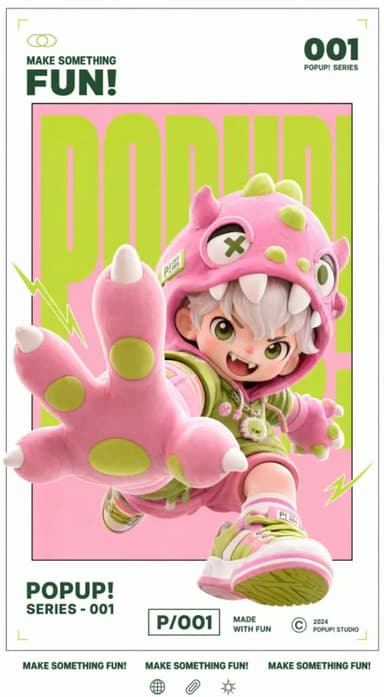
Animate the source artwork as a motion poster while preserving its white gallery border, inner frame, red/white/black palette, 3D collectible-figure look, and original layout. Add a light, playful type-on sound whenever text appears.
Prompt status: Collection prompt — original wording not independently verified.
Settings shown are collection records, not independently verified generation logs. Missing settings are not inferred from generator defaults.
No reference upload is needed for this text prompt.
Prompt
BLACK MIRROR TIDEFLATS / THE COLLAPSING SEA-CATHEDRAL
Style: 8K cinematic. Photorealistic, no 3D render, no game engine, no game-cutscene aesthetic. Cinematography: naturalistic master cinematography. Lighting: high-contrast dramatic light. Cold storm-blue dusk across the flats vs. blinding sodium-orange furnace glow pouring from the toppling structure. The wet mirror surface doubles every light source into a second inverted world.
Color: 60:30:10, dominant gunmetal blue and wet slate (the tideflats and sky) / secondary sodium amber and rust-red (burning floodlights, corroded steel) / accent magnesium white and cobalt blue (the failing reactor core and its arc-flashes). Camera: physical cine lens. 180 degree shutter motion blur. Continuous handheld operator shake, motivated by the ground concussions rolling through the shallow water. Physics: gravity and inertia respected.
Steel trusses buckle and fold under their own mass; spray, ash and salt mist obey atmospheric drag. SUBJECTS: @pilot: a lone figure in a salt-crusted pressure suit crewing a skeletal wind-skiff, a low wheeled land-yacht with a torn carbon sail, hunched at the tiller, cracked gold-tinted visor reflecting the falling structure, throwing twin walls of white spray from its outriggers.
@cathedral: a colossal derelict sea-rig, a kilometre of rusted iron lattice and floodlight towers, listing and buckling as it collapses into the shallows, shedding burning platform decks and cobalt arc-flash from its ruptured core. LOCATION: an endless tidal flat of black volcanic glass under two inches of standing water, a perfect mirror to the horizon, broken by rotting mooring pylons and drifting curtains of salt mist, the skyline dominated by the burning collapse.
ACTION, ONE CONTINUOUS TAKE, single unbroken handheld tracking shot, NO cuts, 15 seconds. 0:00-0:05 Medium-Wide on @pilot: camera tracks alongside the skiff as it carves between rotting pylons that burst into splinters and spray behind the wheels; the horizon tears open as @cathedral enters frame, leaning, trailing burning deck plates.
0:05-0:10 continuous zoom-in / tilt up: camera glides past the skiff and tilts up through the pylons onto the collapse; a core vessel detonates, the shockwave ripping the standing water into a flat sheet and bending the flare into a horizontal streak across frame. 0:10-0:15 Extreme Close-Up on @cathedral: telephoto-compressed view of the disintegrating rig against the sky, steel plate peeling and glowing white-hot, raining burning debris down toward the camera. CONSTRAINTS: 16:9 anamorphic widescreen.
ONE CONTINUOUS SHOT, absolutely NO hard cuts. Telephoto compression during the zoom. No slow-motion. Photoreal throughout. AUDIO (NO MUSIC): deep structural groan of failing steel, the hiss and slap of water under the hull, tearing-metal screech from above, the rigging-hum and canvas crack of the skiff at speed, wind roar across open flats.
Prompt status: Collection prompt — original wording not independently verified.
Settings shown are collection records, not independently verified generation logs. Missing settings are not inferred from generator defaults.
No reference upload is needed for this text prompt.
Prompt
Create a pixel-art side-scrolling platformer gameplay animation, presented as authentic 16-bit / 32-bit retro game footage. The game is a fast, continuous San Francisco-themed endless runner. A heroic pixel-art adventurer automatically runs from left to right while the camera smoothly tracks the character, keeping the hero roughly centered on screen. The player cannot stop or move around obstacles.
Every obstacle that enters the hero's running path must require either jumping over it or ducking underneath it. GAMEPLAY Obstacles approach clearly from the right side of the screen with enough visual anticipation to understand what is happening. There are only two ways to avoid hazards. JUMP: used for anything occupying the ground-level running path. DUCK: used for anything crossing directly above the running path at head or upper-body height.
Every gameplay obstacle must physically intersect the hero's path if no action is taken.
San Francisco-themed obstacles: a cheerful corgi runs directly across the hero's path and the hero jumps completely over it; a startup founder charges toward the hero holding out a giant term sheet, jump over the person; an autonomous delivery robot rolls into the running path, jump over it; an abandoned electric scooter lies horizontally across the sidewalk, jump over it; a shopping cart rolls into the running path, jump over it; a low-flying delivery drone crosses at the hero's head level, duck underneath it; a flock of pigeons flies across the path at head height, duck underneath them; low construction scaffolding extends across the sidewalk, duck underneath it.
Keep obstacles visually distinct and spaced far enough apart that every jump or duck reads clearly as a deliberate gameplay action. SAN FRANCISCO ENVIRONMENT Multi-layer parallax scrolling. Foreground: lush grass, sidewalk edges, rocks, flowers, fire hydrants, cable-car rails, fallen leaves, utility covers and small particles moving quickly.
Midground: colorful Victorian houses, steep streets, cafes, trees, cable cars, fences, stone walls, staircases, scaffolding and occasional fantasy waterfalls at medium speed. Background: enormous green hills, dense neighborhoods, downtown skyscrapers, the Transamerica Pyramid, distant castle-like silhouettes, the Bay, the Golden Gate Bridge and mountains beyond the city, moving slowly. Very distant atmospheric layer: colorful California sky, enormous clouds, drifting coastal fog, distant birds.
Blend recognizable San Francisco architecture with a lush fantasy-adventure world: Victorian houses beside ancient stone ruins, cable-car tracks winding through grassy hills, waterfalls descending beside city staircases, the Golden Gate Bridge appearing dramatically between mountains and fog. Background pedestrians, cars and scenery are decorative only.
HERO ANIMATION A highly polished 8 to 12 frame running cycle with expressive movement, bouncing hair and clothing, an animated cape or jacket, natural arm and leg motion, and tiny dust particles beneath the boots. Transition cleanly between RUN, JUMP, LAND, RUN, DUCK, RUN. Jump animations must visibly carry the hero completely over each ground obstacle; duck animations must visibly lower the hero enough for airborne obstacles to pass over.
Keep the hero's design, face, clothing, colors, proportions and sprite dimensions consistent throughout every frame. SCORE AND GAME UI A small, authentic retro-game score counter in the upper-right corner, simple pixel font, continuously increasing as the hero survives, such as SCORE 004820. Keep the interface minimal. No menus, tutorial text or dialogue boxes.
MUSIC AND SOUND Energetic retro video-game music throughout, like a polished SNES or early PlayStation-era adventure game: upbeat and catchy, chiptune-inspired synths, punchy retro drums, melodic bass and a bright adventurous lead melody.
Synchronized retro sound effects: soft rhythmic footsteps while running, a short arcade-style jump sound on each jump, a quick swoosh while ducking, a landing sound on touchdown, drone buzzing as drones approach, pigeon wing flaps, small environmental sounds for passing cable cars, and a subtle point sound after clearing an obstacle. Music stays the dominant layer with effects mixed cleanly underneath.
PIXEL-ART REQUIREMENTS Crisp hand-crafted pixel art with clearly visible individual pixels, a limited retro palette and extremely detailed sprite work, resembling a premium modern indie pixel-art platformer. No 3D rendering, no vector graphics, no smooth painted edges, no realistic textures, no motion blur, no anti-aliased artwork. CAMERA Classic side-view 2D platformer perspective, fixed camera height, smooth horizontal tracking, no zooming, no cuts, no camera rotation.
The hero stays approximately centered while the environment moves continuously from right to left. Format: 16:9 widescreen, side-scrolling 2D gameplay, continuous gameplay, retro soundtrack and sound effects, minimal score HUD, no logos.
Prompt status: Collection prompt — original wording not independently verified.
Settings shown are collection records, not independently verified generation logs. Missing settings are not inferred from generator defaults.
No reference upload is needed for this text prompt.
Prompt
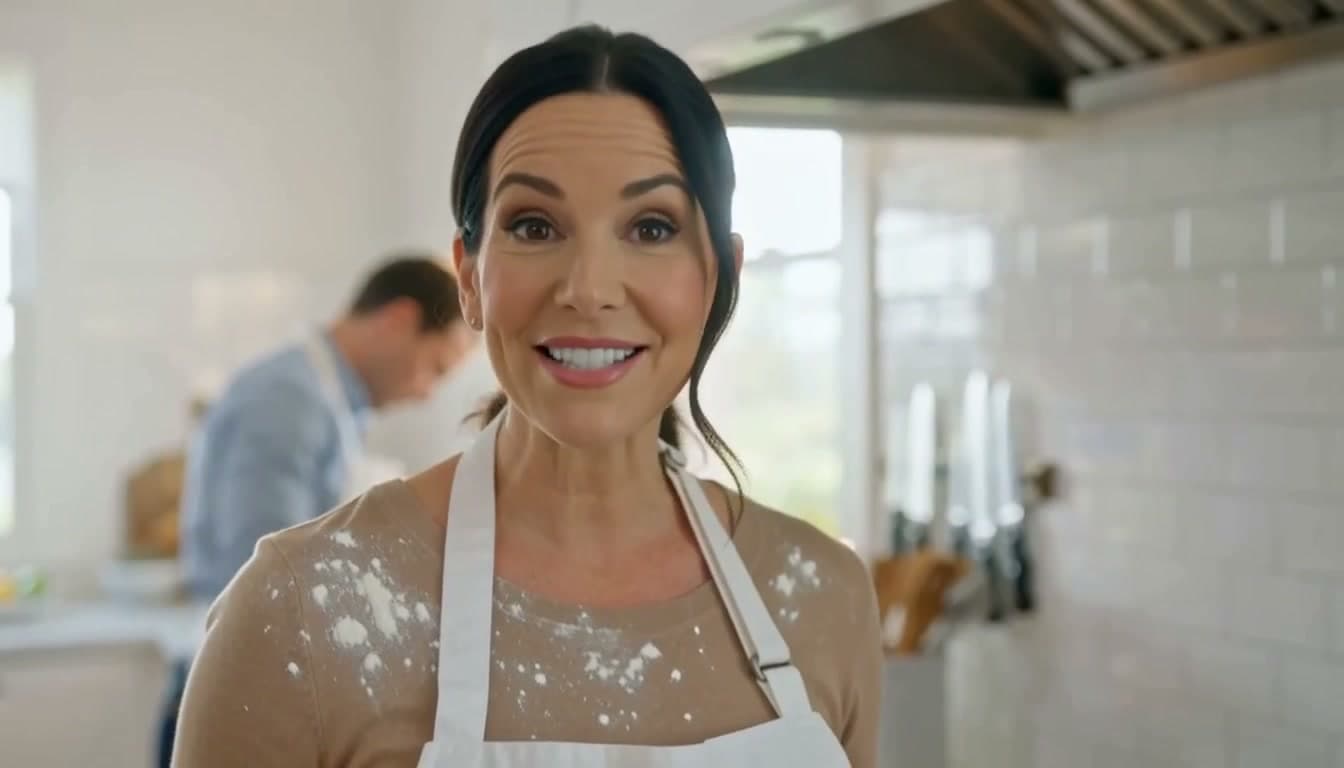
A chef in her forties looks straight into the camera in a bright open kitchen and says, "The secret is you never crowd the pan." She smiles and turns back to the stove. Clean daylight from a window, white tile, flour on her apron, a strand of hair loose. Medium close-up, 50mm, slight handheld. Sound: her voice close and clear, a gentle sizzle, a knife on a board off screen.
What the sample shows
At about 1s the woman faces the camera in a close kitchen portrait; around 4s her gaze drops, and by 7s she is shown side-on at the stove.
The later frame shows more of the kitchen and cooking area. The sampled frames support a change from addressing the viewer to cooking, but do not establish an uninterrupted camera move or accurate lip sync.
Try adapting it: Keep one spoken line and one return-to-work action. Specify whether the framing should remain close or widen when the chef turns; check the spoken words separately in your output.
Visual spot-check at approximately 1s, 4s and 7s; audio and full-clip continuity were not assessed. Video file: 1344 × 768, 15.10s. These file properties do not establish the original generation settings.
Prompt status: Collection prompt — original wording not independently verified.
Settings shown are collection records, not independently verified generation logs. Missing settings are not inferred from generator defaults.
No reference upload is needed for this text prompt.
Prompt
Stop-motion claymation: a round green frog in a knitted scarf carries a stack of pancakes across a tiny kitchen set, sets it down, then looks at camera and blinks. Visible fingerprints in the clay, felt walls, warm practical lamps, stepped 12fps motion. Sound: playful pizzicato strings, soft clay squeaks, a plate clink.
What the sample shows
At about 1s the scarfed frog carries the pancakes from the left; at 4s it holds the plate beside the table. By 7s the view is close on the pancakes, plate and hands.
The red knitted scarf and green clay surface provide clear material cues. The 7s close-up crops the face, so these frames cannot confirm the requested look-to-camera and blink.
Try adapting it: If the final blink matters, ask to keep the frog’s whole face in frame after the plate reaches the table. Treat this as a revision to test, not a guaranteed fix.
Visual spot-check at approximately 1s, 4s and 7s; audio and full-clip continuity were not assessed. Video file: 1344 × 768, 15.10s. These file properties do not establish the original generation settings.
Prompt status: Collection prompt — original wording not independently verified.
Settings shown are collection records, not independently verified generation logs. Missing settings are not inferred from generator defaults.
No reference upload is needed for this text prompt.
Prompt
Slow-motion close-up of a hummingbird hovering at a red trumpet flower in a sunlit garden, wings a blur, tongue flicking into the bloom. Backlit at golden hour with bokeh highlights, pollen and dust in the air, one bruised petal. Long lens, very shallow focus. Sound: rapid wing hum, garden birdsong, a distant sprinkler.
What the sample shows
The bird is separated from the red flower at about 1s, nearer at 4s, and has its beak inside the bloom by 7s. This gives the sampled sequence a readable approach and contact.
Soft circular background highlights separate the bird and flower from the garden. The still frames cannot establish wingbeat smoothness, the requested tongue movement or matching wing sounds.
Try adapting it: Keep the approach and feeding action as the main event. When changing the flower or lighting, retain a simple background and review contact between the beak and bloom in motion.
Visual spot-check at approximately 1s, 4s and 7s; audio and full-clip continuity were not assessed. Video file: 1344 × 768, 15.10s. These file properties do not establish the original generation settings.
Prompt status: Collection prompt — original wording not independently verified.
Settings shown are collection records, not independently verified generation logs. Missing settings are not inferred from generator defaults.
No reference upload is needed for this text prompt.
Prompt
Macro shot of espresso pulling from a chrome portafilter into a warm glass, thick golden crema blooming and swirling. Bright morning light through a cafe window, steam curling, water spots on the chrome, a few coffee grounds on the tray. 100mm macro, shallow focus, slight handheld drift. Sound: grinder winding down, the hiss of the pump, liquid pattering into glass, cafe chatter behind.
Choose by the job the video needs to do. These categories help you find a useful starting point without treating every prompt as interchangeable.
Brand & product
Start here when the object is the point of the video. The chair, espresso, and automotive examples offer different ways to frame a product: a designed object, a close-up process, or an interface presentation. Decide which physical details must remain recognizable before adding camera movement.
Film & storytelling
Choose a scene with a similar sequence of events to your brief. A short teaser and a continuous action shot need different instructions. List what happens first, what changes, and what the final frame should show; then decide whether cuts are welcome.
Fashion & music
Look at how a prompt describes a visual style across clothing, lighting, surface texture, and editing. Replace those ingredients together when adapting a fashion film. Changing only the subject can leave the original color palette or music-video pacing in place.
Animation & games
Use these examples to explore a specific visual language, such as pixel art, clay animation, or interface motion. Keep character design and action instructions separate. For a game interface, check whether labels and layout remain readable throughout the movement.
People & nature
Begin with a small, observable action: a chef delivers one line, or a hummingbird hovers near a flower. Describe the performance and the surrounding sound separately. A simple scene makes it easier to see whether a change improves movement, timing, or visual detail.
How to reuse a MiniMax H3 example
01
Choose a close match
Pick a sample whose subject, motion, and input mode resemble your goal. A visually impressive scene is not always the most useful template. Start with the shortest action sequence that communicates your idea.
02
Inspect the prompt and inputs
Open “Prompt & input materials” before copying. Reference examples include images that contribute visual information beyond the text. Check their order and the image numbers mentioned in the prompt.
03
Load and adapt the example
Select “Use this example” to open the homepage generator with the prompt and available example settings. Reference examples also bring their listed images. Replace the subject, images, dialogue, and other details that belong to the original creative brief.
04
Review settings, then generate
Check the selected model, input mode, duration, aspect ratio, resolution, and estimated credits. Some demonstrations have more recorded settings than others, so review the generator defaults too. Loading a template does not submit a paid generation.
Inside a useful video prompt
A prompt becomes easier to adapt when you can identify what each part controls. The espresso example combines a subject, an observable process, a camera treatment, and a soundscape. The following is an illustrative rewrite, not a newly tested result.
Illustrative text-to-video brief
A single glass sits beneath a chrome espresso machine. In one continuous close-up, coffee pours into the glass and a golden layer of crema forms on the surface. Keep the camera steady with shallow focus and warm morning light. End as the flow slows to a few drops. Sound: the pump, liquid entering the glass, and quiet café ambience. No dialogue or music.
Subject and setting
The glass and machine define the scene. Replace them with your own product and environment before adding extra decorative details.
Action and ending
Pouring, forming crema, and slowing to drops create a sequence with a clear finish. Avoid requesting several unrelated processes in the same short shot.
Camera and light
The close-up and steady view keep attention on the process. Try changing only the camera movement when you want to compare two versions.
Sound
Named sound sources make the audio brief concrete. State whether music or speech belongs in the scene, rather than leaving that choice implicit.
Watch once at normal speed with sound, then inspect the moment where the main action happens. Record a specific issue before rewriting. Changing the subject, camera, lighting, and sound together makes it hard to learn which edit helped.
Subject
Does the same person or object remain recognizable? Watch edges, clothing, fingers, product labels, and any detail that matters to the brief.
Action and camera
Do events happen in the intended order? Distinguish the subject moving from the camera moving. Look for an unexpected cut or an action that never finishes.
Sound
Listen to the complete clip. Check the spoken words, background music, and whether visible contacts have appropriately timed sound effects.
Delivery
Review the first and last frames, crop, and readable text at the intended viewing size. A good thumbnail does not establish that the whole clip is usable.
For example, if a product changes shape during an orbit, first try a smaller camera move while keeping the subject and lighting instructions unchanged. Treat this as a controlled revision to test, not a guaranteed fix.
Video examples and prompt library FAQ
Are these original tests performed on MiniMaxm?+
This library brings together demonstrations already displayed in our homepage, reference, and H3 Max collections. It is not presented as an independently reproduced benchmark. A sample shows one output; it does not establish a success rate, typical waiting time, or a model ranking.
Will the same prompt produce the same video?+
Not necessarily. The input files, model, settings, and variation between generations can change the result. Use the example to understand a creative structure, then evaluate your own output against the details that matter to your project.
Can I use a reference example with text alone?+
You can adapt the idea, but the text may point to images that contain the subject, composition, or style. For a text-only attempt, replace those references with explicit descriptions. Simply removing the images leaves part of the brief unspecified.
What is the difference between this library and the prompt guide?+
The library starts with a video and its reusable creative brief. The prompt guide explains how to build instructions for subjects, camera movement, sound, and reference roles. Use the library to choose an approach and the guide when you need to rewrite it.
Should I choose H3 or H3 Max for an example?+
The model label tells you which collection the sample belongs to. Start with that model when reusing the example, then compare alternatives using the same brief and compatible settings. Review output quality and actual cost instead of choosing from the label alone.
Does copying a prompt use credits?+
No. Browsing, copying, and loading an example do not generate a video. The generator shows an estimated credit cost before submission. Review that estimate after changing output settings or adding reference media.